
For CISOs

Turn employee security behavior into board-level risk intelligence.

Connect your Microsoft 365 and see the human risk picture your security reports have been missing — in 15 minutes.

No credit card. No sales call. Just your data.
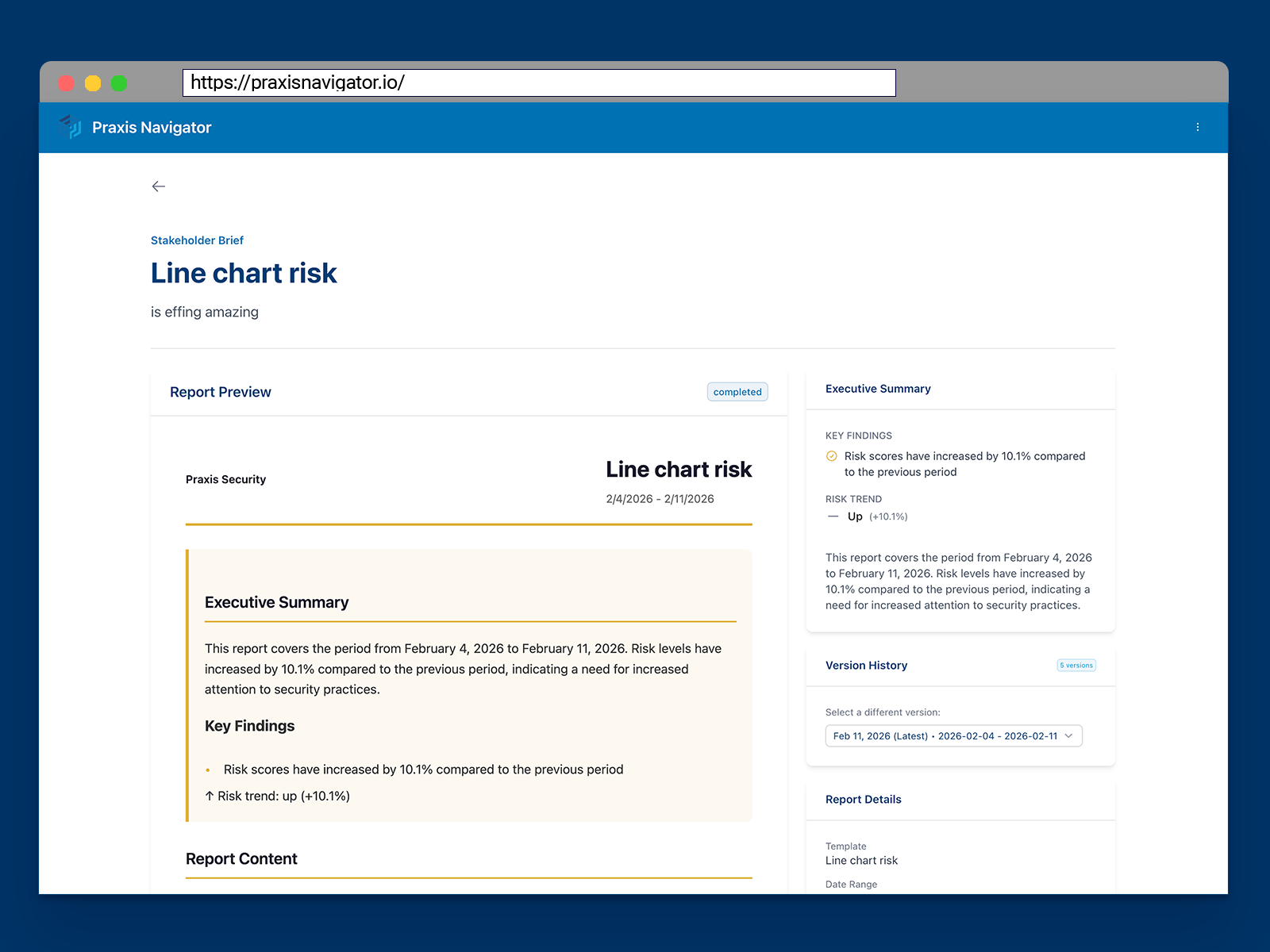
Praxis Navigator Stakeholder Brief showing an executive board report with key findings, risk trends, and behavioral evidence for CISO reporting

You're asked to report on human risk. But what data do you actually have?

You're responsible for the human side of your organization's security posture. You oversee the awareness program, the phishing simulations, the policies. And every quarter, the board wants to know: is it working?

But look at what you're actually reporting on:

Built by people who've seen this problem from both sides.

We know the frustration of running a security program — without the tools to prove it's actually reducing risk.

Kai Roer created the Security Culture Framework over a decade ago. It was adopted by ENISA for EU-wide cybersecurity guidelines. He wrote the books that security leaders use as their playbook — Build a Security Culture and The Security Culture Playbook (Wiley, 2022).

And through all of that work, one gap never closed: the gap between what employees say they'll do in training and what they actually do at their desks.

Praxis Navigator exists to close that gap — and give CISOs the behavioral evidence their board reporting has been missing.

From assumptions about behavior to evidence of risk.

Praxis Navigator connects to your Microsoft 365 environment and monitors real employee security behaviors — continuously, passively, and without disrupting anyone's workday.

You get what no SAT platform or SIEM can give you:

  • A continuous human risk baseline across your entire organization. Built from actual behavior patterns across Exchange Online, SharePoint, OneDrive, Teams, and Entra ID.
  • Automated board-ready reports — not dashboards you build yourself. Stakeholder briefs generated from real behavioral data, not assembled manually each quarter.
  • Before-and-after proof that interventions reduce risk. Tag a training rollout, a policy change, or a phishing campaign — and see the measurable behavioral impact automatically.
  • 20+ behavior indicators in one view. Email discipline, cloud sharing behavior, attachment risk, MFA adoption, external collaboration — consolidated and always current.

Three Steps to Human Risk Visibility

1

Connect

Connect your Microsoft 365 in 15 minutes. Self-service setup through Microsoft Marketplace. No agents, no IT projects, no disruption to employees.
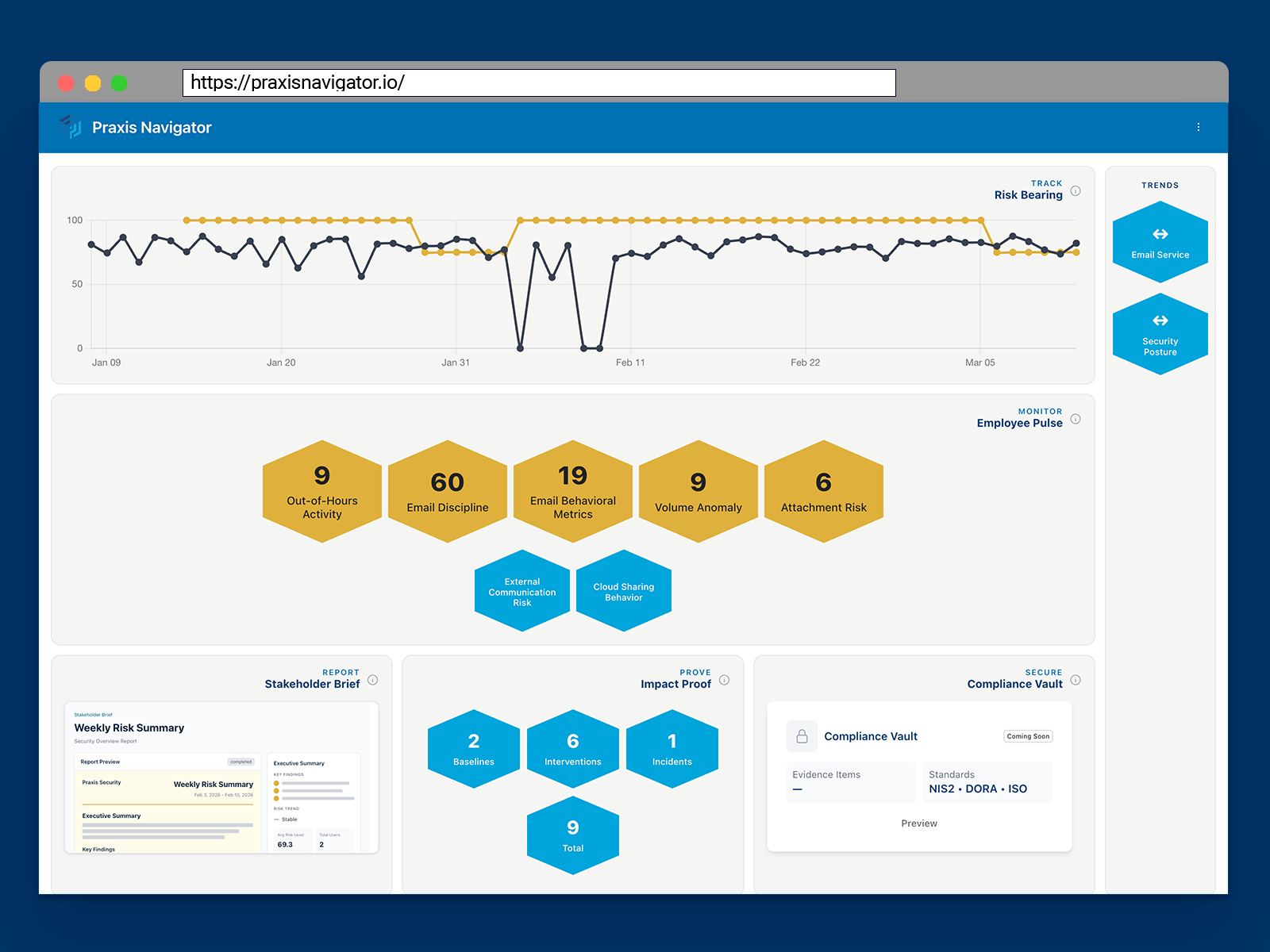
Praxis Navigator Bridge overview showing the command center for human security risk across your organization
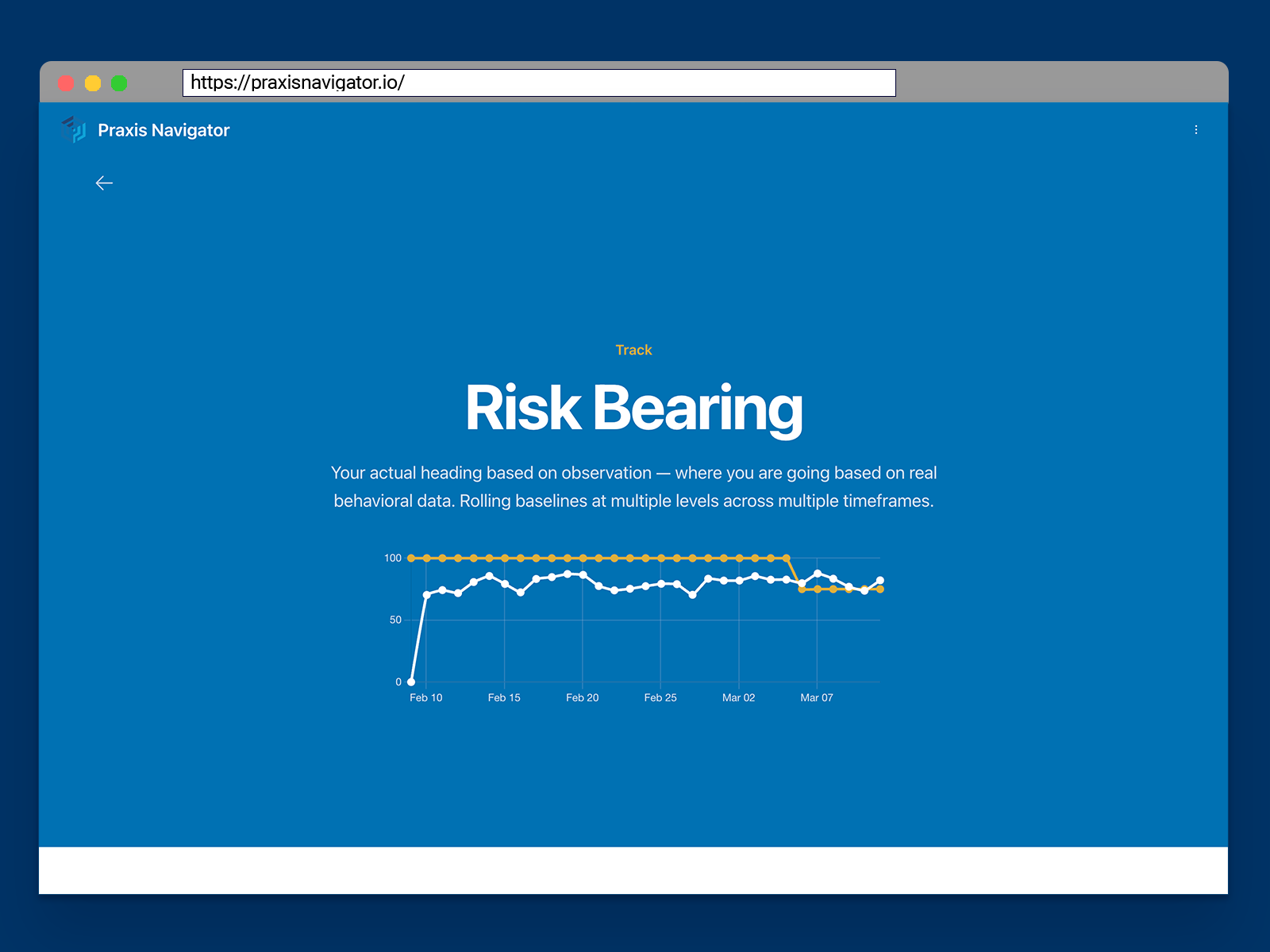
Praxis Navigator risk-bearing employee overview showing behavioral risk indicators and department-level human risk posture
2

Assess

See behavioral risk across your entire organization immediately — including months of historic trends. Identify your highest-risk departments and behavioral patterns from day one.

3

Report

Generate board-ready Stakeholder Briefs showing risk posture, behavioral trends, and evidence of program impact. Prove your security investment is working — with data, not completion rates.
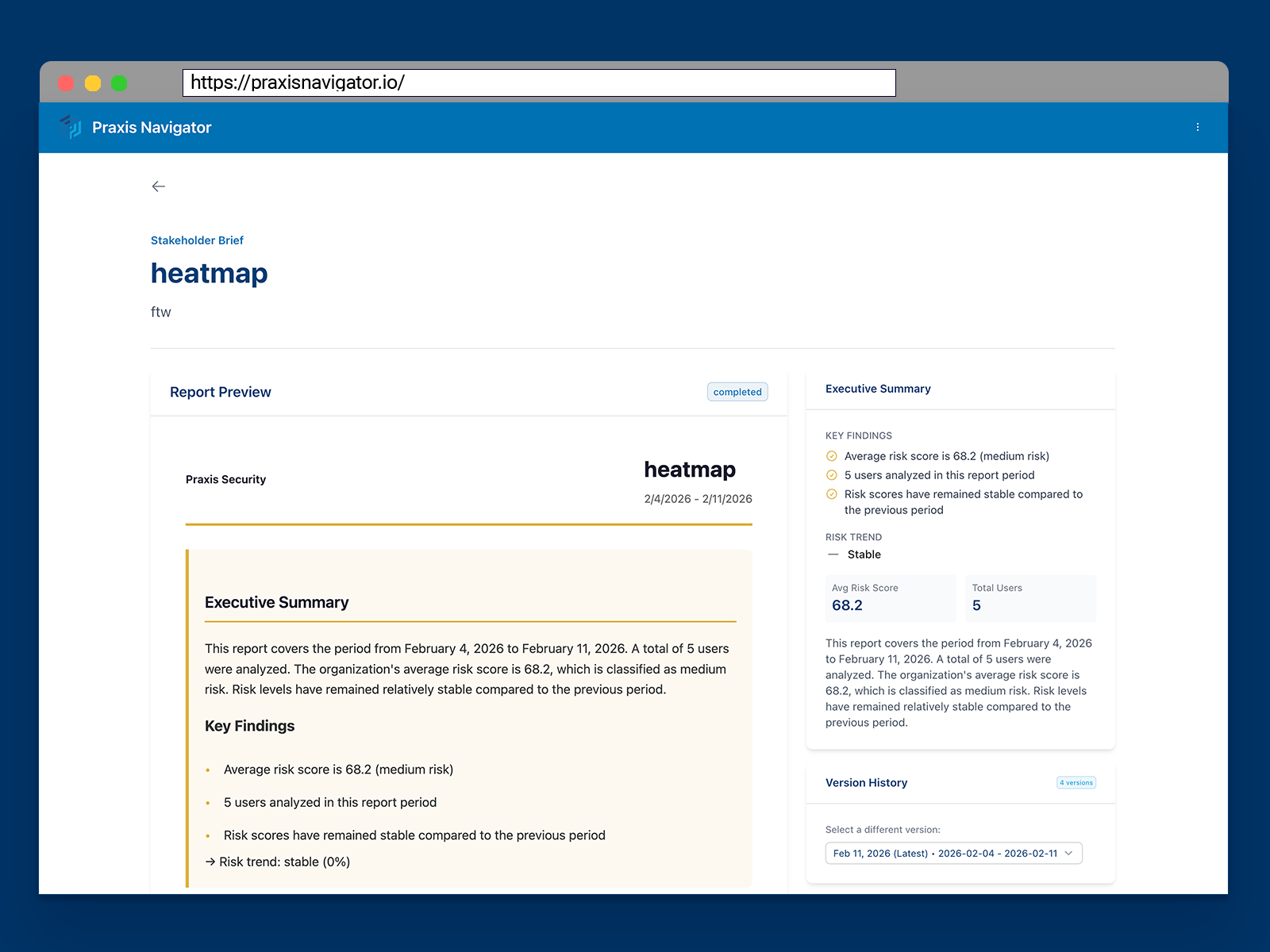
Praxis Navigator Stakeholder Brief showing board-level risk summary with behavioral trend data and key findings

The behavioral data you're not seeing right now.

Microsoft retains behavioral data for 90 to 160 days. After that, it's gone — permanently.

Every week you wait is a week of behavioral history that disappears. Risk baselines you could have built. Trends you could have tracked. Evidence you could have shown your board.

Praxis captures and preserves this data from the moment you connect. The sooner you start, the more history you keep.

What changes when your board report is backed by behavioral evidence.

You become the CISO who can answer the board's question — not with training completions, but with behavioral evidence of risk reduction.
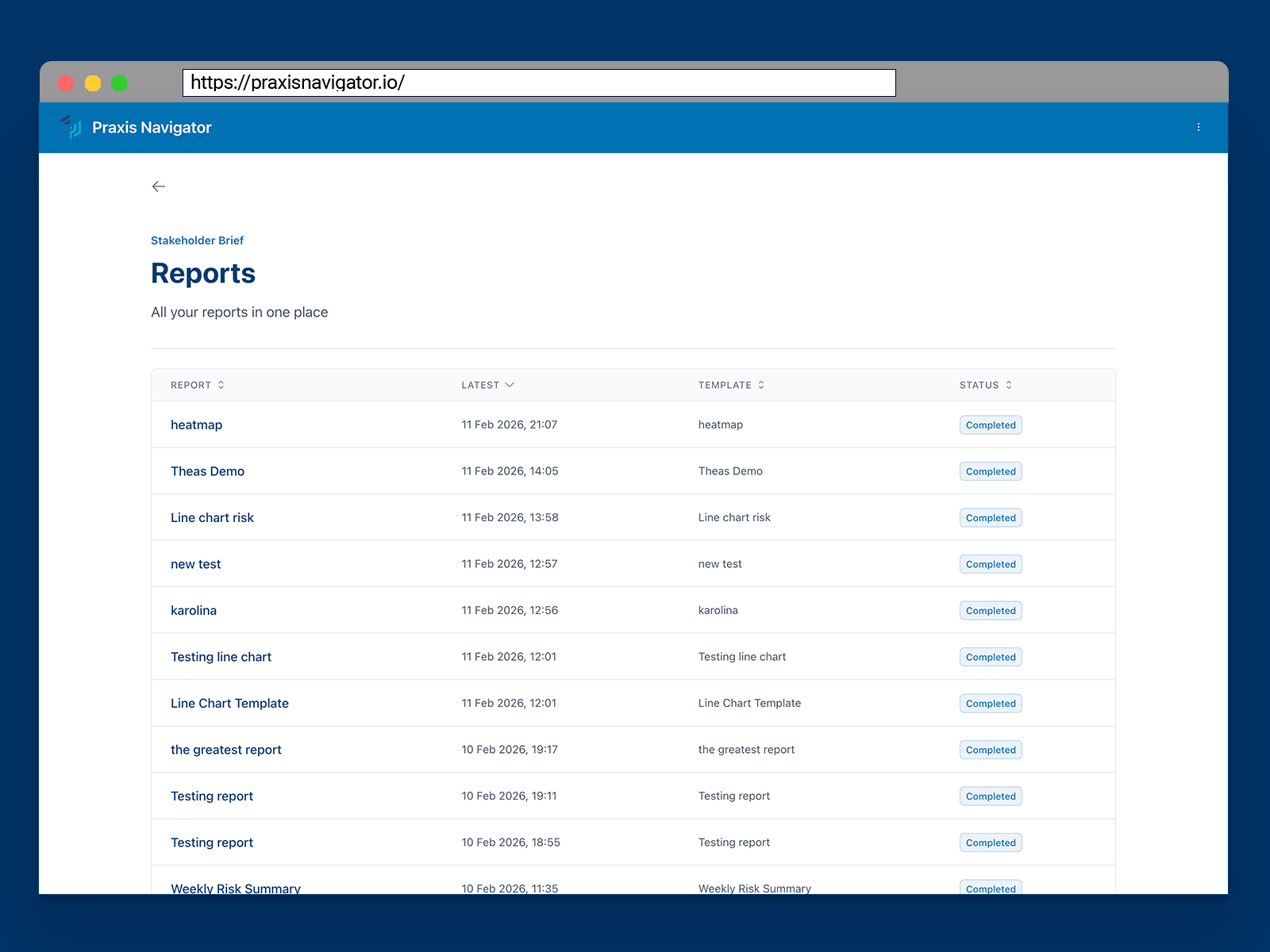
Praxis Navigator Stakeholder Brief showing behavioral risk trends, intervention impact, and board-ready executive summary
Before Praxis With Praxis
"We completed 100% training coverage" "Email attachment risk dropped 34% after Q2 training"
Manual reports assembled from five different tools Automated board-ready Stakeholder Brief
Assumptions about what employees actually do Behavioral evidence from 20+ risk indicators
Defending your security budget with activity metrics Proving your security investment works
Quarterly phishing simulation snapshots Continuous behavioral trend data

Trusted by Security Leaders

Security Culture Framework

Adopted by ENISA

The Security Culture Playbook

Published by Wiley

20+ Years Research

Security culture expertise

Microsoft Graph API

EU data residency available

Dedicated Azure Resource Groups

Your data, never shared

Trust Center ↗

Security & privacy documentation

See Your Organization's Human Risk — Free for 30 Days

Connect your Microsoft 365 and see what your employees are actually doing. Full access to all Praxis Navigator Core features.

No credit card. No sales call. Just your data.

  • Full Core feature access for 30 days
  • No credit card or payment required
  • Deploy in 15 minutes through Microsoft Marketplace
  • Historic behavioral data from day one
  • Cancel anytime
Start Free Trial

No credit card required. No commitment. See results in 15 minutes, or don't continue.

Frequently Asked Questions

What does Praxis Navigator give me that my existing security stack already does not?
Your SIEM, EDR, and SAT platform measure technical events and training activity. None of them measure what employees actually do with email, files, and collaboration tools in their normal workday. Praxis Navigator monitors 20+ real employee security behaviors across Exchange Online, SharePoint, OneDrive, Teams, and Entra ID — continuously, not quarterly. It gives you behavioral baselines, trend data, and before-and-after proof that your awareness program is reducing risk. That is the data your board is asking for.
How does Praxis Navigator help me report to the board?
Praxis Navigator generates Stakeholder Briefs automatically — board-ready reports showing your organization's behavioral risk posture, risk trends over time, and the measurable impact of your security interventions. Instead of assembling a report from five different tools, you generate it directly from real behavioral data. The output is designed for board-level communication: clear risk indicators, trend lines, and evidence of program impact — not raw logs.
How quickly will I see data after connecting?
Within 15 minutes of connecting your Microsoft 365 tenant, you'll see your first behavioral data. Because Microsoft retains historic activity data for 90–160 days, you get a behavioral baseline from day one — you don't need to wait weeks or months to start measuring your organization's human risk posture.
What behavioral data is Microsoft retaining that I am not capturing?
Microsoft retains behavioral data — email handling patterns, file sharing events, authentication logs, collaboration activity — for 90 to 160 days depending on your subscription and data type. After that retention window, it is deleted permanently. Every week you wait to connect Praxis Navigator is a week of behavioral history that disappears: baselines you could have built, risk trends you could have tracked, evidence you could have shown your board.
How does this connect to our existing security awareness investment?
Praxis Navigator does not replace your SAT platform — it sits alongside it. Your training platform measures activity inside the training environment: completions, simulated phishing results, participation rates. Praxis Navigator measures what employees do in the real work environment after the training ends. Together, they close the loop: train people, then measure whether the training actually changed their behavior. Praxis Navigator is the measurement layer your program has been missing.
What is the Security Culture Framework and why does it matter?
The Security Culture Framework is a structured model for measuring and improving organizational security culture. It was created by Kai Roer and adopted by ENISA for EU-wide cybersecurity guidelines. The SCF is built around four steps: Metrics, Organization, Topics, and Planner. The Metrics step requires behavioral baselines — a before-state to measure progress against. That is exactly what Praxis Navigator provides: continuous, real-world behavioral data from Microsoft 365 that gives your security program the baselines the SCF's Metrics module needs to show genuine risk reduction over time.
Does deployment require significant IT involvement?
Minimal IT involvement is required, but an admin with tenant-wide rights is required to set it up. Setup is self-service through the Microsoft Marketplace and takes approximately 15 minutes. No agents are installed, no endpoint software is deployed, and there is no disruption to employees or their workflows. Praxis Navigator connects to Microsoft 365 via the Graph API with read-only permissions. See full details on how to set up Praxis Navigator and see behaviors today.
Is our employee data safe and GDPR-compliant?
Yes. Praxis Navigator follows security and privacy best practices throughout. Each customer's data runs in a dedicated, customer-only resource group inside Azure — your data is never shared with or accessible by other customers. EU data residency is available, and all monitoring is conducted on behavioral patterns in accordance with applicable privacy regulations. Full security and compliance documentation is available in our Trust Center.